
Key Drive Management
Your encryption key is the heart of Necron Vault Manager — it's what protects all your files. This page explains how the app manages your key, whether it's on a Key Drive (Pro) or stored locally (Free tier).
Key Drive Status Card
The Key Drive status card sits at the bottom of the sidebar and displays:
- Key Drive name — e.g., "Necron Key"
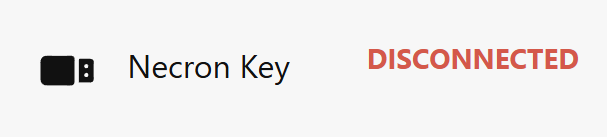
- Connection status — shows CONNECTED or DISCONNECTED
- Capacity bar (Free tier only) — a visual bar showing how much of the 1 GB encrypted file limit is in use

The app automatically detects your Key Drive when you plug it in — no setup needed. Click the status card at any time to trigger a manual rescan if your Key Drive isn't showing up.
Note
When you remove your Key Drive, all active vault sessions are immediately locked for security. Re-insert the Key Drive to regain access.
Key Material
Your key material is not consumed during encryption — a key is randomly selected from the key material for each encryption operation, so it never runs out. Pro accounts have no limit on the amount of data that can be encrypted. Free tier accounts are limited to 1 GB of files encrypted at any one time.
For Free tier accounts, the capacity bar in the Key Drive status card shows your current usage against the 1 GB limit at a glance.
Software Key (Free Tier)
If you're using the Free Tier (no Key Drive), the Key Drive status card shows your software key:
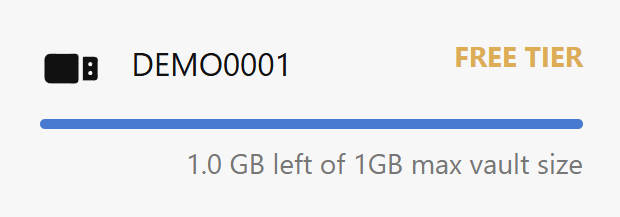
- Capacity: 20 MB of key material (key material is not consumed during encryption)
- Storage: Stored securely on your computer
- Encrypted file limit: 1 GB at any one time
The software key works the same as a Key Drive for all encryption and decryption operations. The main differences are:
- Tied to your computer — the key only works on the machine where it was set up
- 1 GB encrypted file limit — Free accounts can only have a maximum of 1 GB of files encrypted at any one time (upgrade to Pro for no limit)
Warning
If you reset your operating system or user profile, your software key may become permanently inaccessible. Back up important files with a separate strategy if you rely on the Free tier.
Key Drives in Settings
The Account pane in Settings shows additional Key Drive information for Pro subscribers:
- A Key Drives card listing all Key Drives registered to your account
- Key Drive names and provisioning dates
- Option to manage Key Drive registrations
Multiple Key Drives
Necron Vault Manager supports multiple Key Drives connected at the same time. Each Key Drive appears as a separate card in the sidebar. The app automatically selects the correct Key Drive for decryption based on which key was used to encrypt each file.
What If No Key Drive Is Connected?
If no Key Drive is connected and the Free Tier is not active:
- The Gatekeeper lock screen remains displayed
- Encrypt and decrypt operations are unavailable
- The Key Drive status card shows DISCONNECTED
The app transitions to the main interface as soon as a valid Key Drive is inserted or a Free Tier login succeeds.